Everything from lead to delivery, inside WordPress.
FlowDesk combines lead capture, proposals, payments, project delivery, client portal collaboration, deliverables, approvals, and internal operations in one premium workflow system.
Overview
FlowDesk is built for freelancers, agencies, consultants, and service businesses that want a clean SaaS-like workflow without leaving WordPress. Instead of managing clients through scattered plugins, FlowDesk keeps the entire process inside a single connected system.
Installation
- Upload the FlowDesk plugin ZIP from Plugins → Add New → Upload Plugin.
- Activate the plugin.
- Open the Setup Wizard.
- Create the required pages.
- Save company settings and verify your demo or live workflow.
Best practice: complete the Setup Wizard first so the Proposal Review, Proposal PDF, Deposit Payment, and Client Portal pages are configured correctly.
Dashboard
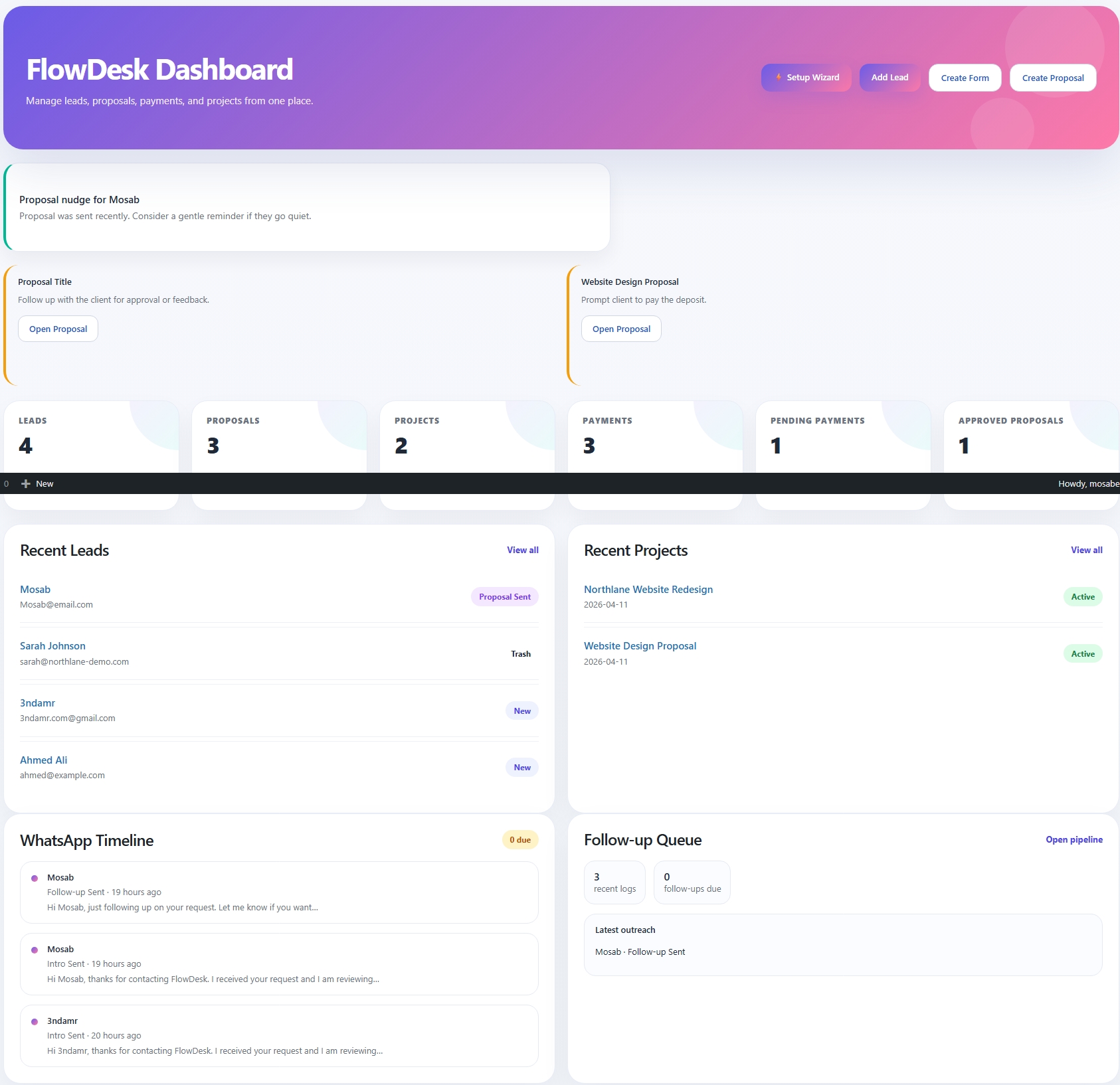
The dashboard is the main command center. It gives you a quick snapshot of leads, proposals, projects, payments, recent activity, and follow-up context in one place.
- Quick action buttons for common tasks
- High-level KPI cards
- Recent leads and projects
- Timeline and follow-up widgets
Leads Pipeline
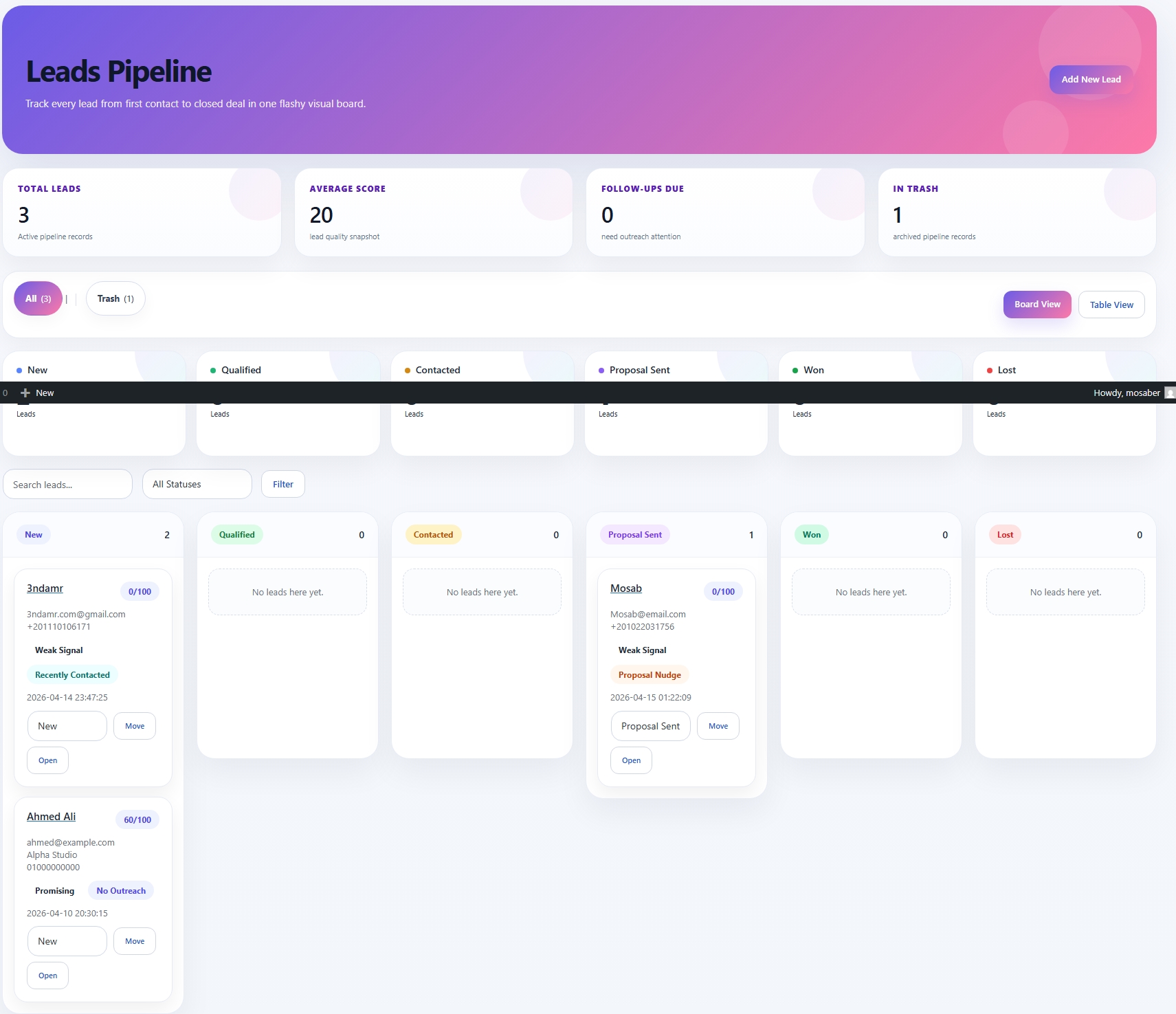
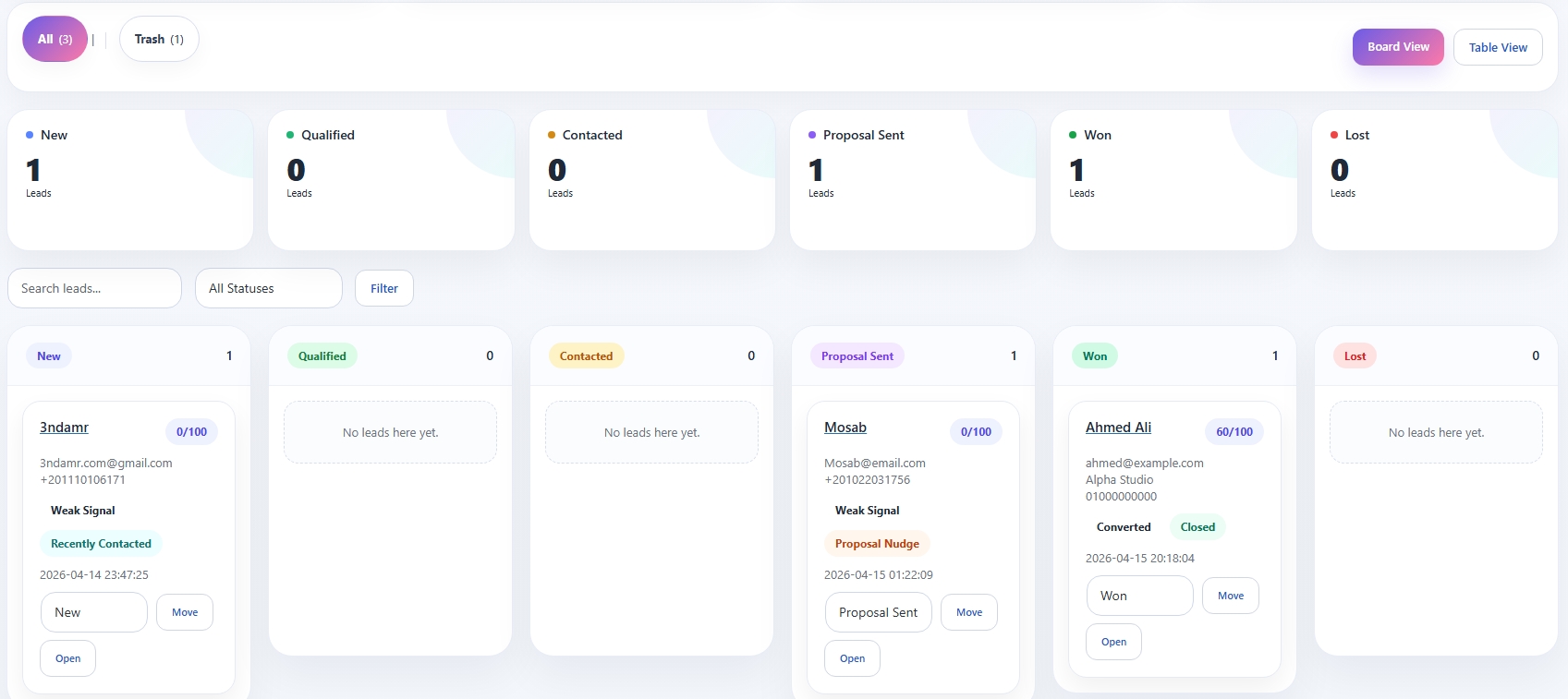
The Leads screen provides a pipeline-style board to organize opportunities from first contact to closed deal. It combines lightweight CRM handling with a visual workflow.
- Status columns such as New, Qualified, Contacted, Proposal Sent, Won, and Lost
- Board and table views
- Lead scoring and follow-up cues
- Quick actions to open or move a lead
Proposals
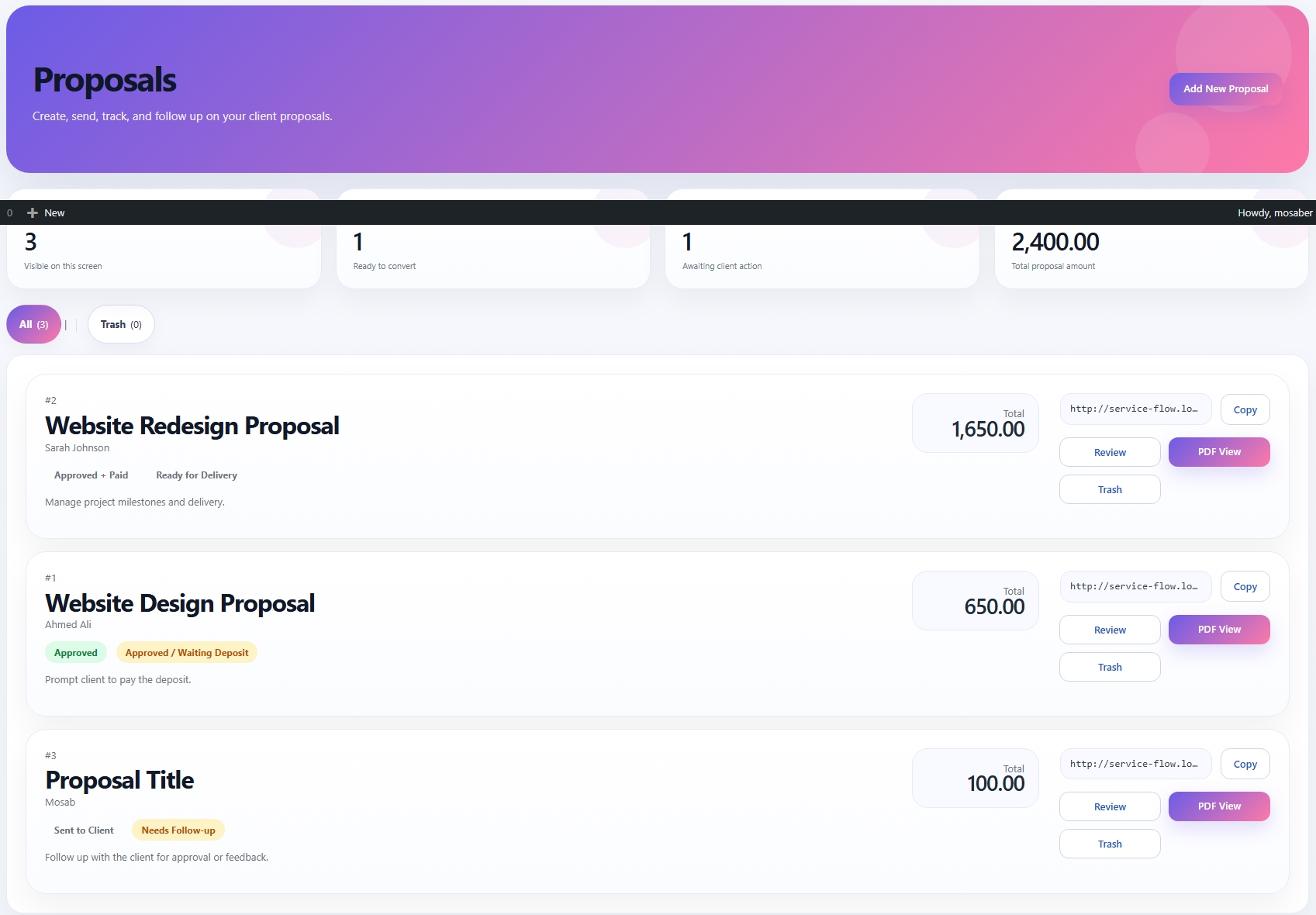
Use the Proposals screen to prepare service offers, pricing, deposit requirements, and client-facing review links. Approved proposals can move directly into project flow.
- Professional proposal cards and totals
- Review links and PDF views
- Status visibility such as Approved, Sent, and Waiting Deposit
- Direct path toward payment and project conversion
Payments
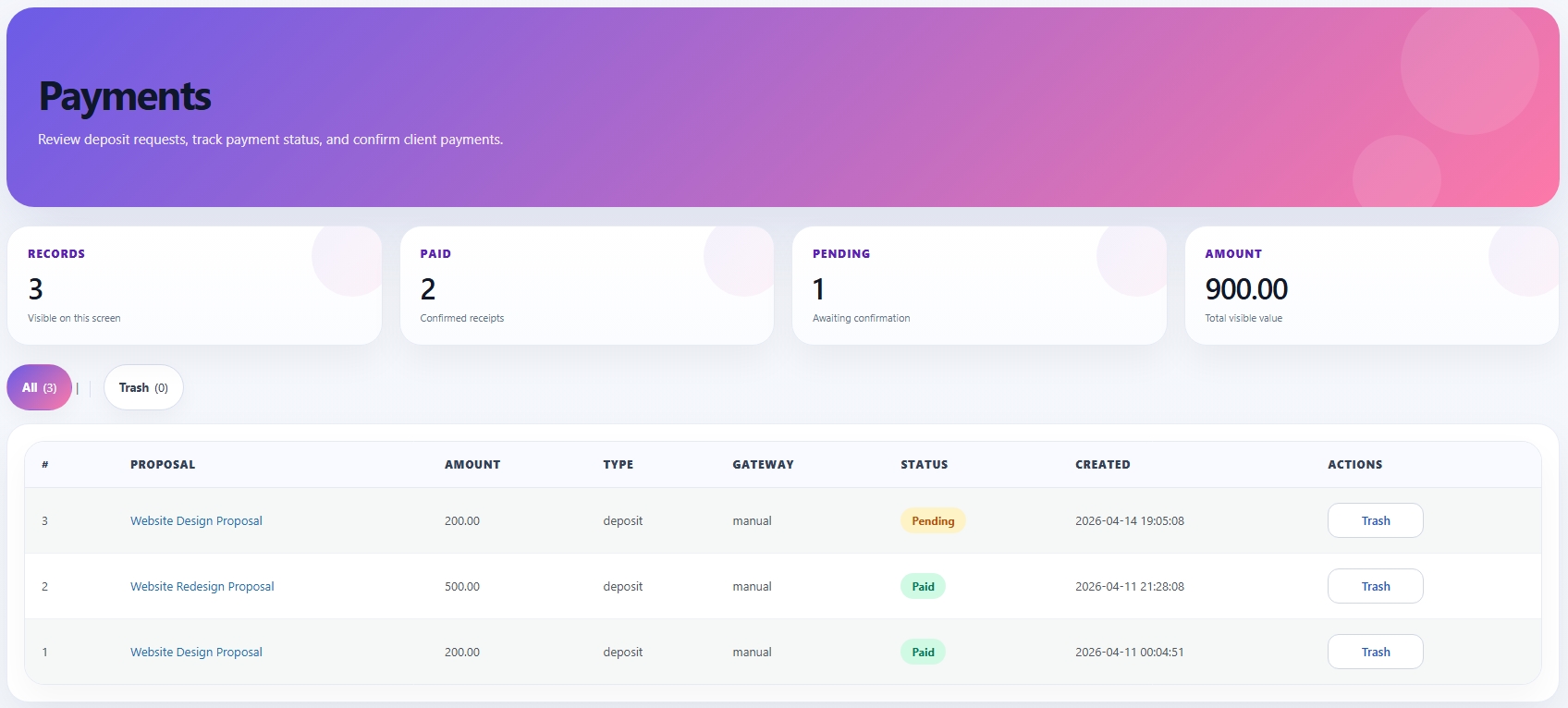
FlowDesk includes a deposit-first payment workflow suited for agencies and service businesses. Payment records stay connected to the related proposal and project lifecycle.
- Track pending and paid records
- Monitor total payment value
- Review gateway type and created date
- Use payment history as part of project visibility
Projects
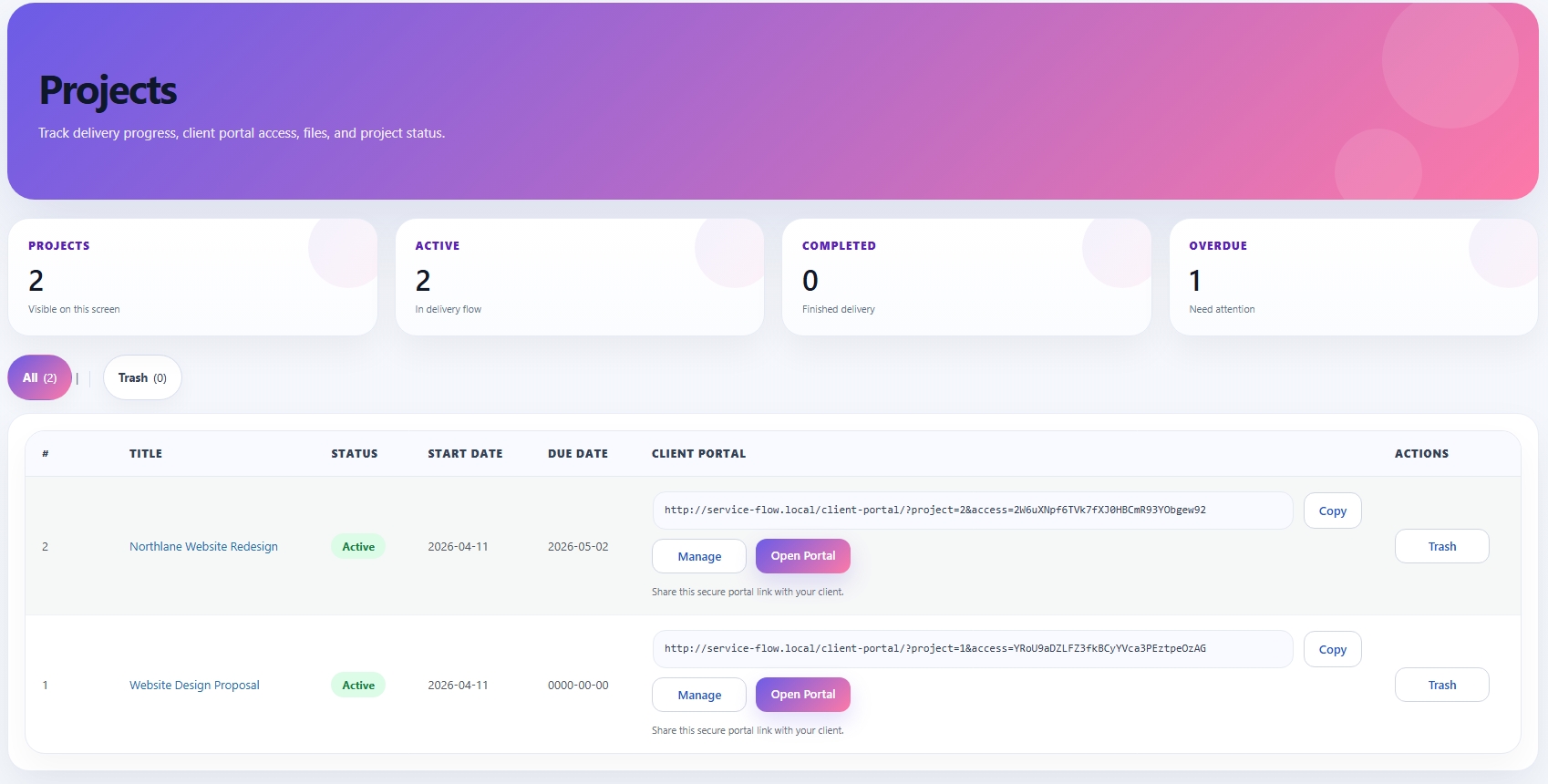
The Projects screen is where delivery and client access come together. Each project contains its own status, dates, secure portal link, and management actions.
- Project list with dates and status
- Secure client portal URLs
- Quick actions like Manage, Open Portal, and Copy
- Delivery-oriented admin view
Client Portal
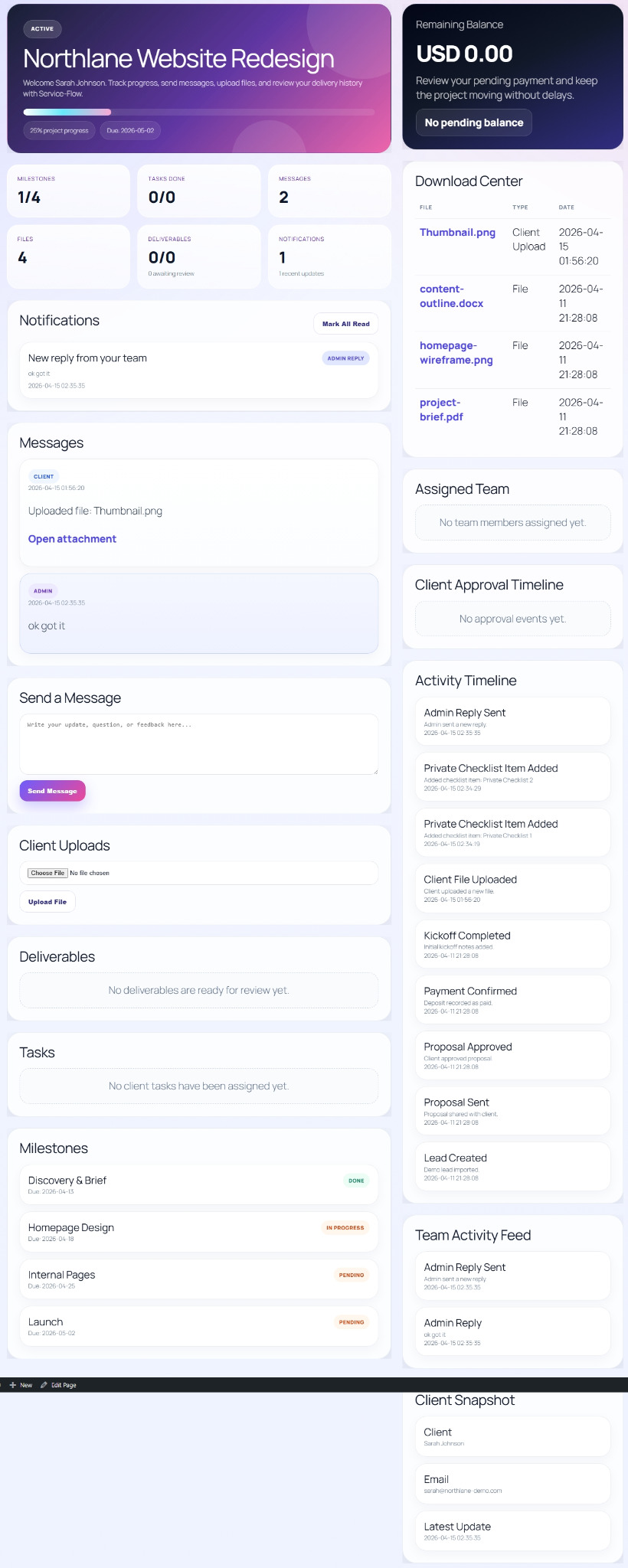
The Client Portal is a secure frontend workspace for the client. It keeps communication, uploads, downloads, timeline events, and approvals in one premium interface.
- Project overview and progress
- Messages between admin and client
- Notifications and mark-as-read behavior
- Download center and client uploads
- Milestones, tasks, and activity timeline
Deliverables & Approval
FlowDesk includes a real deliverables workflow. Clients can review work, receive updates, approve versions, or request revisions with notes.
- Deliverables per project
- Version history and comments per version
- E-sign style approval with client name
- Revision requests and approval timeline
- Internal operations and activity feed support
Suggested Workflow
Settings & Setup
- Company name and currency
- Manual payment instructions
- Email notification templates
- Page setup through wizard
- Role-based plugin access
Troubleshooting
Portal shows missing access
Always use the secure portal URL generated by the project screen.
Proposal or PDF page does not load the right record
Verify that the review or PDF link includes the correct proposal context and that the required page exists.
Deposit page is empty
Make sure the proposal is connected to a payment record and the Deposit Payment page was created correctly.
Admin buttons act unexpectedly
Clear cache and ensure your latest FlowDesk build is active.
Support
- Website: www.girsy.com
- Demo: www.girsy.com/flowdesk
- Telegram Channel / Group: https://t.me/GirsyNetwork
- Telegram Support: https://t.me/GirsyTeam
- Email: Girsy.com@gmail.com
- Codecanyon: https://codecanyon.net/user/girsy
Support covers installation help, bug reports, and clarification of built-in features. It does not include custom development or unrelated server work.